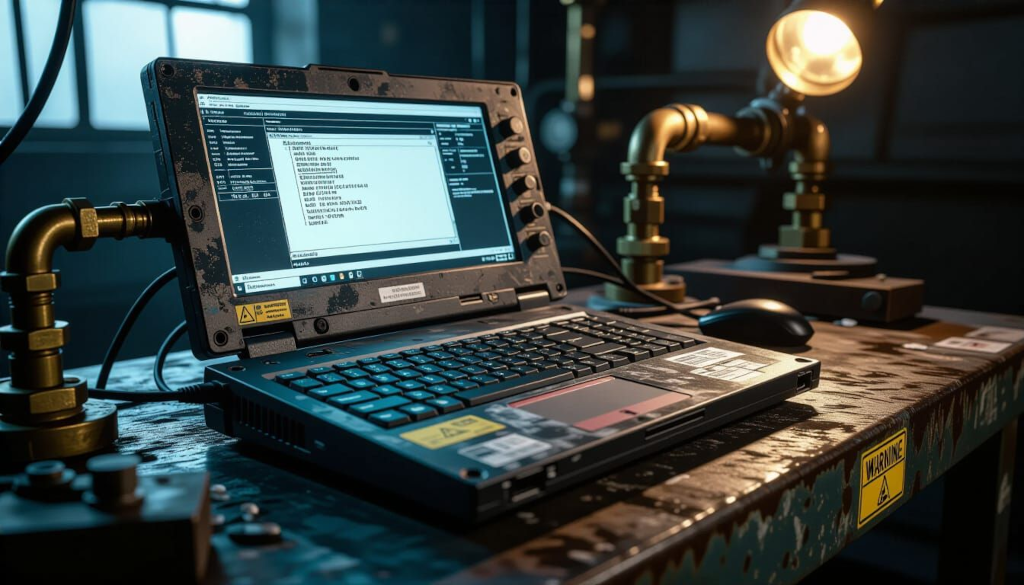
Engineering workstation and remote access

The royal road into the kingdom.

If you want to compromise an OT environment, don’t bother with the fancy PLC exploits or protocol fuzzing. Just compromise an engineering workstation. It’s easier, more effective, and gives you everything you need.

Engineering workstations are the computers used to program PLCs, configure SCADA systems, and maintain industrial control infrastructure. They have legitimate access to everything. They contain project files with complete system documentation. They store credentials for accessing industrial devices. They bridge between corporate and OT networks. They’re typically Windows laptops or desktops running vendor-specific engineering software.

They’re also usually the least secure systems in the entire environment. Why? Because they need to run old software that requires old operating systems. Because engineers need administrative rights to install vendor tools. Because they’re used for general purposes like email and web browsing. Because security software interferes with engineering tools. Because convenience trumps security when you’re troubleshooting a production issue at 3 AM.

Engineering workstations are the crown jewels, poorly guarded and casually handled.

Endpoint security assessment

Engineering workstations should be treated as critical infrastructure. They are not. Standard endpoint security tools and approaches work here, but the findings are often horrifying.

Operating system assessment

At UU P&L, the primary engineering workstation (ENG-WS-01) revealed Windows 7 Professional (end of life since January 2020), last patched in 2016 (8 years behind), running as local Administrator (unnecessary and dangerous), no BitLocker or disk encryption, antivirus disabled (because it “interfered with TIA Portal”).

A vulnerability scan with OpenVAS found 347 vulnerabilities rated High or Critical. Many had public exploits available. The system was trivially compromisable through dozens of attack vectors.

Installed software assessment

The workstation had engineering software (expected and necessary), including Siemens TIA Portal, Rockwell Studio 5000, Wonderware System Platform, and various vendor utilities. It also had general software including Chrome, Firefox, Adobe Reader, 7-Zip, TeamViewer, VNC server, Spotify, Steam (yes, really), and various other applications installed by individual engineers over the years.

Each additional application is additional attack surface. Many were outdated with known vulnerabilities.

User account assessment

The workstation had one account: engineer (shared by multiple people), password engineer123 (known to all contractors and several former employees), no account lockout policy, and administrative privileges.

Shared accounts are disasters for security. You can’t attribute actions to individuals. You can’t revoke access when people leave. Passwords become widely known and are never changed.

Service and process assessment

Running services included 73 Windows services (many unnecessary), TeamViewer service (persistent remote access), VNC server (no password configured), SMB file sharing (anonymous access enabled), and RDP (accessible from corporate network).

Every service is a potential attack vector. Unnecessary services should be disabled. Remote access services should be secured or removed.

Patch levels and vulnerability scanning

Engineering workstations lag far behind on patching because patching is risky and downtime is expensive.

Why engineering workstations don’t get patched

Engineering software requires specific Windows versions and patch levels. Deviating breaks things. Vendor support is conditioned on specific configurations. “Install all available patches” voids support contracts. Testing patches requires comprehensive validation because patches that break engineering tools are show-stoppers. Engineers can’t program PLCs if their tools don’t work.

Engineers need systems to work reliably. A patch that improves security but breaks TIA Portal is unacceptable. An unpatched vulnerability that doesn’t currently affect operations is acceptable.

Vulnerability scanning results

At UU P&L, the vulnerability scan of ENG-WS-01 found MS17-010 (EternalBlue, used by WannaCry), dozens of remote code execution vulnerabilities in Windows components, Java vulnerabilities (multiple versions of Java installed, all outdated), Adobe Reader vulnerabilities, and vulnerabilities in installed applications.

Any of these could be exploited by an attacker with network access to the workstation. Since the workstation was on the corporate network and the corporate network had been compromised by phishing attacks multiple times, these vulnerabilities were practically guaranteed to be exploited eventually.

Realistic patching approach

Complete patching isn’t realistic. Prioritise patching: critical remote code execution vulnerabilities first, vulnerabilities with active exploitation second, then work down the severity list. Test patches in isolated environment before deploying to engineering workstations. Schedule patching during planned downtime windows. Accept that some vulnerabilities won’t be patched due to compatibility issues and implement compensating controls.

Privileged access analysis

Engineering workstations need privileged access to program PLCs and configure SCADA. This privilege is often excessive and poorly controlled.

What privileges engineering workstations have

Administrative access to local system (often unnecessary, but granted for convenience). Network access to all PLCs (necessary for programming). Administrative access to SCADA servers (for configuration and maintenance). Database administrative access to historians and configuration databases. Access to both corporate and OT networks (bridging trust zones).

Analysing access with BloodHound

BloodHound analyses Active Directory relationships and identifies attack paths. Running BloodHound at UU P&L revealed the engineering workstation’s user account (shared engineer account) had local admin rights on the workstation, domain admin equivalent rights in OT domain, and membership in groups with access to corporate resources.

This meant compromising the engineering workstation gave an attacker domain admin access to the entire OT environment. From there, complete compromise of all OT systems was straightforward.

Least privilege recommendations

Engineering work should use separate accounts for administrative tasks vs daily activities. Engineers should have non-privileged accounts for email, web browsing, and general work. Administrative accounts should be separate, require additional authentication, and be used only for engineering tasks. Implement privilege separation and use tools like sudo for Windows where possible.

Credential storage review

Engineering workstations are credential goldmines. They store passwords for PLCs, SCADA systems, databases, and remote access systems, often in plaintext or easily recoverable formats.

Where credentials are stored

Project files for PLCs often contain connection passwords in plaintext or weakly encrypted. Configuration files for SCADA, historians, and other systems include database credentials and system passwords. Saved RDP sessions in Remote Desktop Connection Manager with stored credentials. Browser saved passwords for web interfaces. Text files and documents (engineers create their own “password databases”). Sticky notes (physical ones attached to monitors or keyboards, digital ones in Windows Sticky Notes application).

Extracting credentials with Mimikatz

Mimikatz extracts credentials from Windows memory and storage. At UU P&L, running Mimikatz on the engineering workstation (during authorised testing) revealed:

mimikatz # sekurlsa::logonpasswords

Output included currently logged-in user credentials (the shared “engineer” account), cached credentials from previous RDP sessions to SCADA servers and PLCs, and passwords stored in Windows Credential Manager for various services.

Extracting credentials from files

Searching the engineering workstation for files containing passwords:

Get-ChildItem -Recurse -Include *.txt,*.doc,*.docx,*.xls,*.xlsx,*.xml,*.cfg | 
  Select-String -Pattern "password|pwd|passwd" -List

Found 127 files containing the word “password”. Manual review revealed 43 files containing actual passwords including PLC passwords in project file comments, SCADA database credentials in configuration files, VPN credentials in text files, and a spreadsheet named “Passwords.xlsx” containing credentials for every system in the facility.

The spreadsheet was password-protected with password “password”. Opening it revealed administrator credentials for all PLCs, SCADA servers, database servers, switches, routers, firewalls, VPN, and remote access systems, along with vendor support credentials, contractor access credentials, and former employee accounts that were never disabled.

This single spreadsheet was complete facility compromise.

Remote access tools

Engineering workstations often have remote access tools for engineers working from home, vendors providing remote support, and troubleshooting without being physically on-site.

Common remote access tools

RDP (Remote Desktop Protocol) built into Windows. VNC (Virtual Network Computing) for graphical remote access. TeamViewer for remote support and screen sharing. AnyDesk as TeamViewer alternative. Remote Desktop Connection Manager for managing multiple RDP sessions. LogMeIn, GoToMyPC, and similar commercial tools.

Remote access security issues

At UU P&L, the engineering workstation had RDP enabled and accessible from corporate network, no network-level authentication, no account lockout policy, and weak password on shared account.

TeamViewer was installed with unattended access enabled (no prompt when connecting remotely), password written on sticky note attached to workstation, no logging of remote sessions, and account shared among multiple vendors.

VNC server was installed with no password configured, accessible from corporate network, and full control permitted (not view-only).

Each of these remote access tools was a complete bypass of all network security. An attacker who could reach the corporate network (via phishing, compromised VPN, or other means) could remotely control the engineering workstation through multiple independent paths.

Testing remote access

From a corporate network system, testing RDP access:

rdesktop 192.168.40.15 -u engineer -p engineer123

Connected successfully. Full graphical desktop access. From there, accessing all engineering tools, all project files, all stored credentials.

Testing TeamViewer access using the ID and password from the sticky note (photographed during site visit) connected successfully with no warning or logging visible to the system owner.

Vendor remote access VPNs

Vendors often require remote access for support. This is necessary but creates significant security risks when implemented poorly.

Vendor remote access patterns

Persistent VPN connections where vendor has 24/7 access regardless of whether support is needed. On-demand VPN where vendor can connect when needed but connection requires approval. Jump box or bastion host where vendor accesses a specific system that then accesses OT (provides logging and control). Direct access where vendor VPN gives direct access to OT networks.

Vendor access at UU P&L

Multiple vendor VPN solutions existed, often deployed without IT/security involvement. The turbine manufacturer had OpenVPN access directly to turbine control network (installed in 1998, never disabled, credentials never rotated). The SCADA vendor had TeamViewer access to SCADA server (unattended access enabled, credentials shared). The historian vendor had dial-up modem access to historian server (installed in 2005, still active, phone number published in old documentation). Generic “contractor access” VPN with accounts for 15 different contractors (some of whom no longer worked in the industry).

Reviewing vendor VPN logs revealed connections from IP addresses in China, Russia, and Brazil (vendors were European companies with no known presence in those countries). Either vendors were using VPNs themselves or vendor credentials had been compromised and were being used by unauthorized parties. Determining which was impossible without contacting vendors, which hadn’t been done.

Vendor access recommendations

All vendor access should require approval before each connection. Access should be time-limited (expires after X hours). All access should be logged and monitored. Access should be restricted to specific systems, not entire networks. Credentials should be unique per vendor and rotated regularly. Vendor contracts should include security requirements and audit rights.

At UU P&L, the immediate recommendation was audit all vendor access, identify what exists and who’s using it, disable access for vendors no longer under contract, implement logging and alerting for all vendor connections, require approval workflow for future vendor access, and plan for migration to properly secured vendor access solution.

Project file security

Project files contain complete PLC programs, SCADA configurations, and system documentation. They’re intellectual property and operational information that should be protected but rarely is.

What project files contain

Complete PLC ladder logic and function blocks showing exactly what the system does. Network configurations and IP addresses. Control algorithms and setpoints. Comments and documentation explaining the logic. Sometimes credentials and passwords. Integration points with other systems.

Project file storage at UU P&L

The engineering workstation had project files stored in C:\Projects, shared on the network as \ENG-WS-01\Projects with anonymous read access, regularly backed up to \SCADA-PRIMARY\Backups with no access controls, copied to USB drives for offsite backup (USB drives in engineer’s desk drawer, unencrypted).

Anyone with network access to the engineering workstation or SCADA server could download complete project files for all PLCs and SCADA systems. The USB backup drives in the desk drawer could walk out the door with no one noticing.

Project file analysis

Downloaded project files revealed current PLC logic for all turbines and reactor, alarm setpoints and safety limits, network topology and device addressing, integration with third-party systems, and comments explaining critical logic (some in German, some in English, some in what appeared to be a mixture of both and possibly profanity).

One comment in the reactor PLC logic translated roughly to “This section is a workaround for vendor bug. Do not modify or reactor will shut down randomly. We don’t know why this works but it does. - Johann, 2009”

This is both typical of industrial systems (undocumented workarounds for unexplained issues) and concerning from a security perspective (understanding the logic requires understanding the workarounds, and the workarounds are poorly documented).

Shared accounts and password reuse

Shared accounts are common in OT because they’re convenient. They’re also security disasters.

Why shared accounts exist

Multiple engineers need access to the same tools. Creating individual accounts requires vendor licensing changes or additional costs. Shared accounts are “how we’ve always done it”. Password changes affect multiple people, so they’re avoided.

The problems with shared accounts

No accountability because you can’t determine which individual performed actions. No effective access revocation because you can’t remove one person’s access without removing everyone’s. Password hygiene becomes impossible because passwords can’t be rotated without coordinating with many people. Security incidents can’t be investigated properly because audit logs show only “engineer” did something, not which actual person.

Password reuse at UU P&L

The shared “engineer” account on the engineering workstation used password “engineer123”. Analysis of stored credentials revealed the same password was used for PLC access (engineer/engineer123 on engineering tools), SCADA access (engineer/engineer123 for configuration), several contractor VPN accounts, and the local admin account on multiple servers.

Compromising one password compromised dozens of systems because the same password was reused everywhere.

Recommendations for account management

Eliminate shared accounts by creating individual accounts for each person. If vendor licensing prevents this, escalate to vendor to find solution. Use named accounts tied to individuals. Implement proper password policies with complexity and rotation requirements. Use multi-factor authentication where possible. Log all access and actions with individual attribution.

Software licensing dongles

Some engineering software uses physical USB dongles for licensing. These dongles are valuable, often irreplaceable, and poorly secured.

Licensing dongle reality

At UU P&L, the TIA Portal license was on a USB dongle plugged into the engineering workstation. This dongle cost €15,000 and was the only license the university owned. Without it, engineers couldn’t program Siemens PLCs.

The dongle was in an unlocked room, in a computer with no physical security, and was occasionally removed and taken home by engineers working remotely (violating the license terms but convenient).

If the dongle was lost, stolen, or damaged, there was no backup. The vendor would sell a replacement for €15,000 and delivery would take weeks. During that time, no one could program the turbines or reactor PLCs.

The dongle was a single point of failure with no protection beyond “try not to lose it”.

Dongle security recommendations

Physical security for computers with licensing dongles (locked rooms, secure cabinets). Inventory and tracking of dongles. Backup dongles if licenses permit and budget allows. Network-based license servers instead of USB dongles where possible. Insurance for dongle loss or damage.

The engineering workstation as pivot point

Engineering workstations bridge corporate and OT networks. They’re the perfect pivot point for attackers who’ve compromised corporate IT and want to reach OT.

Attack path via engineering workstation

Attacker compromises corporate network through phishing or other means. Attacker identifies engineering workstation through network reconnaissance. Attacker exploits engineering workstation (via RDP with weak password, VNC with no password, unpatched vulnerabilities, or other means). Attacker extracts credentials from engineering workstation. Attacker uses engineering tools and credentials to access PLCs, SCADA, and other OT systems. From there, attacker has complete control over industrial processes.

At UU P&L, this attack path was completely viable. Corporate network had been compromised by phishing multiple times in the past. Engineering workstation was accessible from corporate network. Engineering workstation had multiple exploitable vulnerabilities and weak remote access security. Engineering workstation contained credentials for all OT systems.

The only reason this attack hadn’t occurred (as far as anyone knew) was because attackers who’d compromised corporate network hadn’t discovered the engineering workstation or hadn’t recognised its value. This is security by obscurity and luck, not actual security.

Breaking the pivot

Recommendations to break the engineering workstation as pivot point included network segmentation to isolate engineering workstations from general corporate network, jump boxes or privileged access workstations for accessing engineering systems, separate engineering workstations for OT work vs general computing, enhanced monitoring and detection on engineering workstations, and regular security assessments of engineering workstations.

The uncomfortable summary

At UU P&L, the engineering workstation was Windows 7 unpatched since 2016 with 347 high/critical vulnerabilities, shared account with weak password known to dozens of people, local and domain administrator privileges, credentials for every OT system stored in plaintext, multiple remote access tools with weak or no authentication, accessible from compromised corporate network, and bridge between corporate IT and all OT systems.

Compromising this single laptop would give an attacker complete control over the entire OT environment including all PLCs, SCADA systems, databases, network devices, and industrial processes.

The recommendations were extensive because the problems were extensive. Replace engineering workstation with properly secured system, implement individual user accounts, apply security patches, remove unnecessary software and services, secure remote access, encrypt storage, implement monitoring and logging, network segmentation to isolate from corporate network, and regular security assessments.

The response was “we’ll do what we can but engineering workstation needs to keep working and we can’t risk breaking it”. Some recommendations were implemented (easier ones like removing unnecessary software). Others remained “under consideration” (harder ones like replacing the system or implementing individual accounts).

This is the reality of engineering workstation security. These systems are critical, highly privileged, and nearly impossible to secure properly without disrupting operations. The best achievable security is incremental improvements and compensating controls, not comprehensive security. It’s not ideal, but it’s what’s realistic when operations can’t stop and budgets are constrained.