Key components
Walking into a control room for the first time can be overwhelming. There are screens everywhere, cabinets full of equipment with blinking lights, cables running in directions that seem to defy both logic and gravity, and a persistent low hum that suggests everything is either working perfectly or about to explode.
We need to know which components do what, how they connect, and which ones we absolutely must not touch without triple-checking our rules of engagement.
Touring the key components we can encounter, using examples from Unseen University Power & Light Co., where the equipment ranges from “surprisingly new” to “archaeological artifact that somehow still functions”.
PLCs, the brains with no sense of self-preservation
Programmable Logic Controllers (PLCs) are the workhorses of industrial automation. They’re ruggedised computers designed to run control programs in harsh environments (temperature extremes, vibration, electrical noise, and at UU P&L, occasional magical interference).
What PLCs do
A PLC continuously executes a control program in a loop called a scan cycle:
Read inputs (sensors, switches, other devices)
Execute logic (ladder logic, function blocks, structured text)
Update outputs (valves, motors, indicators)
Handle communications
Repeat, typically every 10-100 milliseconds
This program implements the control strategy. If temperature exceeds setpoint, open cooling valve. If pressure drops below threshold, start backup pump. If the Librarian’s banana supply drops below three bunches, trigger urgent restocking alarm.
PLC architecture
PLCs consist of:
CPU module (runs the program)
Power supply
I/O modules (digital inputs/outputs, analog inputs/outputs)
Communication modules (Ethernet, serial, fieldbus)
Programming port (for connecting engineering software)
PLCs are modular. You can add I/O modules as needed. Older PLCs might be monolithic units with fixed I/O.
Common PLC manufacturers
Siemens (S7-300, S7-400, S7-1200, S7-1500)
Allen-Bradley/Rockwell Automation (ControlLogix, CompactLogix, MicroLogix)
Schneider Electric (Modicon)
Mitsubishi (MELSEC)
ABB
Omron
GE (now Emerson)
At UU P&L, the turbine control system runs a soft PLC (hex-turbine-plc) executing a governor loop. It answers
Modbus, DNP3, IEC-104, and SNMP, none of them authenticated, and publishes telemetry to an MQTT broker. An OPC-UA
sidecar (hex-turbine-opcua) exposes the same process anonymously. There is no Siemens or Allen-Bradley kit on the
estate; it standardised on open protocols years ago, which is convenient for everyone, attackers included.
Security characteristics of PLCs
PLCs were designed assuming physical security. If you have physical access to program the PLC, you’re assumed to be authorised. This assumption extended to network access once PLCs gained Ethernet connectivity.
Most PLCs have minimal security:
No authentication, or weak authentication (fixed passwords, no password policy)
No encryption of communications
No audit logging of who changed what
No protection against malicious logic
No code signing or verification
Physical key switches (which are often left in “Run” or “Program” mode)
Newer PLCs are better. The Siemens S7-1500 series supports password protection, access levels, and encrypted connections. The Rockwell ControlLogix v21 and later supports role-based access control and secure connections. But adoption is slow, and backwards compatibility often means security features are disabled.
Testing PLCs
When pentesting, your interaction with PLCs should be extremely cautious:
Identification: Use passive reconnaissance or very gentle active scanning to identify PLC models, firmware versions, and communication protocols. Tools like plcscan can identify PLCs without being overly aggressive.
Enumeration: Query the PLC for its configuration, program, and current state. Most PLCs will happily tell you everything about themselves if you ask politely. Use vendor tools or protocol libraries like Snap7 for Siemens or pycomm3 for Allen-Bradley.
Analysis: Download the PLC program (if possible and authorised). Analysing the logic offline to understand what the system does and identify potential vulnerabilities in the control logic itself. Tools like PLCinject can help analyse PLC programs.
Testing: Any write operations (changing values, uploading programs, forcing outputs) should only be done in controlled test environments, never on production systems during initial pentest.
At UU P&L, testing the turbine PLC revealed:
No authentication on any protocol it speaks (Modbus, DNP3, IEC-104, SNMP)
Any holding register or coil readable, and writable, by anyone who can reach port 502
A write is not a dashboard update: it moves a valve, changes a setpoint, or trips a breaker
No logging of who issued a command
An OPC-UA sidecar offering the same process with SecurityMode None and anonymous access
The recommendation was not “fix the PLC” (impossible without replacement). It was to segment the network so only the engineering workstation can reach the control protocols, monitor for unexpected writes, and add authentication at the network layer, since the device offers none of its own.
RTUs, the distant cousins
Remote Terminal Units (RTUs) are similar to PLCs but designed specifically for remote monitoring and control over large geographic areas. They’re common in utilities (power, water, oil/gas pipelines) where you need to monitor and control equipment spread across cities or countries.
RTU characteristics
RTUs are designed for:
Remote locations (unmanned substations, pump stations, pipeline monitoring points)
Harsh environments
Autonomous operation (they keep working even if communications fail)
Low power consumption (some run on solar power and batteries)
Communication over various media (serial radio, cellular, satellite)
RTUs collect data from sensors, perform basic control logic, buffer data during communication outages, and communicate with a central SCADA system using protocols like DNP3, Modbus, or IEC 60870-5-104.
At UU P&L, RTUs are deployed at electrical substations throughout Ankh-Morpork. Each RTU monitors circuit breaker status, transformer load, voltage levels, and can remotely operate breakers when commanded by the central SCADA system.
Security challenges with RTUs
RTUs present unique security challenges:
Physical security is often minimal (a locked cabinet in an unmanned building)
Communication links might be wireless (radio, cellular, satellite)
They’re exposed to public networks (cellular networks aren’t trusted)
They run for years without intervention
Firmware updates are difficult (requires site visits or risky remote updates)
Testing RTU security requires:
Understanding the communication protocols
Testing for weak authentication
Analysing the security of communication links
Assessing physical security (during site visits)
Evaluating the security of remote management interfaces
At UU P&L, the substation RTU (substation-rtu) sits in the Guild Quarter DMZ and speaks IEC-104 on port 2404.
Testing revealed:
No IEC-104 authentication
A second interface: a REST API on port 8080, with no authentication, that reconfigures datapoints on the fly
Reachable directly from the internet zone, with nothing in between
No detection of unauthorised access
An attacker who reaches the DMZ can rewrite the RTU’s datapoints through the REST API, so the values the SCADA reads upstream no longer reflect the plant. The recommendations centred on authenticating IEC-104, removing or locking down the REST interface, and segmenting the RTU away from the internet zone.
HMIs, where humans meet machines
Human-Machine Interfaces (HMIs) are the screens that operators use to monitor and control processes. They display pretty graphics of the plant, show real-time values, and provide buttons for controlling equipment.
HMIs range from simple touch panels to full SCADA workstations running sophisticated software.
HMI software
Common HMI platforms include:
Siemens WinCC
Rockwell FactoryTalk View
Wonderware InTouch
Ignition by Inductive Automation
Schneider Vijeo Citect
GE iFIX
These applications run on Windows (almost always Windows). They connect to PLCs and other devices, retrieve data, send commands, log events, and provide the user interface for operations.
HMI architecture
An HMI system typically consists of:
HMI software application
Database (for storing configurations, logs, historical data)
Communication drivers (for talking to PLCs)
Web server (many HMIs provide web-based remote access)
User authentication system (in theory)
At UU P&L, the control HMI (uupl-hmi) runs FUXA 1.1.7, a web-based HMI pinned to a vulnerable release, with its
interface on port 1881.
Security characteristics of HMIs
HMIs are often the weakest link in OT security. They’re typically:
Running on Windows (with all the associated vulnerabilities)
Running outdated operating systems (Windows XP, Windows 7, Server 2003)
Not patched (can’t risk breaking the HMI application)
Accessible from corporate networks (operators need access)
Running web servers with default credentials
Storing credentials in plaintext configuration files
Using hardcoded database passwords
Providing remote access with weak authentication
Many HMI applications were developed when security wasn’t a concern. They might store passwords in plaintext in XML configuration files, use SQL Server with ‘sa’ account and blank password, or provide web interfaces with default credentials that can’t be changed.
Testing HMIs
HMI security testing is more like traditional IT application testing:
Web interface testing: Many HMIs provide web access. Test for common web vulnerabilities (SQL injection, XSS, authentication bypass, directory traversal). Tools like Burp Suite and OWASP ZAP work well here.
Credential testing: Try default credentials (documented in security advisories and industrial control systems default passwords. Check configuration files for hardcoded credentials. And even though scadapass is from 2016, these credentials remain.
File system analysis: If you can access the HMI filesystem (via web vulnerabilities or legitimate access), look for configuration files, project files, and backups that might contain sensitive information.
Network service enumeration: HMIs often run multiple services (RDP, VNC, web servers, database servers). Enumerate these services and test their security.
Database testing: If the HMI uses a database, test database security. Many use SQL Server or MySQL with weak credentials.
At UU P&L, testing the control HMI showed the pinned FUXA release carries three known flaws:
CVE-2023-32545: path traversal via
/api/upload, reaching files outside the intended directoryCVE-2023-32546: stored cross-site scripting via
/api/projectCVE-2023-32547: an unauthenticated read of
/api/project, handing over the project definition without a login
The unauthenticated project read is the quiet one. Before touching anything, an attacker can pull the HMI’s own description of the process: tag names, addresses, and the layout of what the operators watch.
The recommendations were the usual mix: upgrade off the pinned release, put the web interface behind authentication, and stop exposing it where the rest of the zone can reach it. The university implemented the segmentation (relatively easy) and scheduled the upgrade for “the next budget cycle”.
SCADA servers and historians
SCADA (Supervisory Control and Data Acquisition) servers are the central systems that collect data from PLCs and RTUs, present it to operators via HMIs, log events, and manage the overall industrial process.
SCADA system architecture
A typical SCADA system includes:
SCADA server (runs the core SCADA software)
Historian (stores time-series data for long-term analysis)
HMI workstations (for operators to interact with the system)
Engineering workstations (for configuring and maintaining SCADA)
Communication servers (for protocol conversion and gateway functions)
Application servers (for advanced analytics, reporting, etc.)
At UU P&L, the distribution SCADA runs Scada-LTS. The process historian is a SQLite-backed REST service, queried by the SCADA for alarm data and exposed to the operational network for reporting. Four operator workstations sit in the control room; two engineering workstations provide field and office access.
Historians deserve special attention
Historians are databases optimised for storing time-series data from industrial processes. They record every sensor reading, every operator action, every alarm, typically at resolutions from milliseconds to seconds, for years.
This data is valuable for:
Operational analysis
Regulatory compliance
Troubleshooting
Performance optimisation
Business intelligence
It’s also valuable for attackers:
Understanding normal operations (for stealthy attacks)
Finding patterns and schedules
Identifying critical setpoints and safety limits
Discovering network topology and device configurations
Common historian products include:
OSIsoft PI System (extremely common in process industries)
GE Proficy Historian
Siemens Process Historian
Wonderware Historian
Honeywell PHD
Historians often have web interfaces, APIs, and database connections accessible from corporate networks (for business reporting). They’re a prime target for attackers seeking to understand industrial operations without directly touching control systems.
Testing SCADA and historians
SCADA server and historian testing includes:
Operating system security: These run on Windows or Linux. Standard OS hardening checks apply. Check patch levels, user accounts, running services, security configurations.
Application security: Test the SCADA application itself. Look for default credentials, authentication bypass, authorization flaws, SQL injection in web interfaces, API security issues.
Database security: Test historian databases. Check authentication, authorization, encryption, backup security. Many historians use SQL Server, and many use ‘sa’ account with weak passwords.
Web interface testing: SCADA systems provide web-based access. Test these interfaces thoroughly. They often have vulnerabilities because they’re developed by industrial automation experts, not web security experts.
API security: SCADA systems expose APIs for integration with other systems. Test authentication, authorization, input validation, rate limiting.
At UU P&L, testing the SCADA infrastructure revealed:
The historian REST API had two vulnerabilities on adjacent endpoints. Path traversal on /export returned the raw
SQLite database file when the tag parameter stepped outside its expected directory. The /report endpoint accepted
unsanitised input; a crafted asset parameter pulled arbitrary records from the SQLite backend.
The SCADA server accepted the default credentials admin / admin. Its /config endpoint, reachable once
authenticated, disclosed the historian’s ingest password. Those credentials could then be used to POST fabricated
readings to the historian’s /ingest endpoint, making a turbine outage invisible on the SCADA dashboard while the
turbine was offline.
The recommendations were extensive and expensive, requiring vendor patches, configuration changes, network segmentation, and rebuilding parts of the infrastructure. The university implemented what they could afford immediately and scheduled the rest for “the next budget cycle” (a phrase that strikes fear into any security consultant’s heart).
Engineering workstations
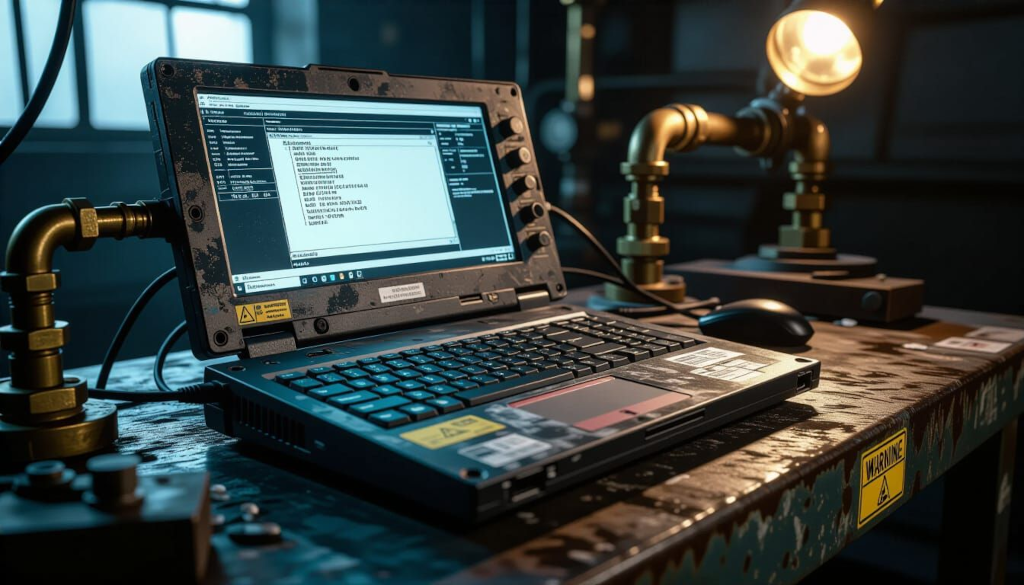
The keys to the kingdom.
Engineering workstations are the computers used to program PLCs, configure SCADA systems, and maintain industrial control systems. They’re typically Windows laptops or desktops with vendor-specific engineering software installed.
Why engineering workstations matter
If you compromise an engineering workstation, you can:
Program PLCs (upload malicious logic)
Configure SCADA systems
Access credentials stored for connecting to industrial devices
Access project files containing system designs and documentation
Pivot to control networks (engineering workstations often have access to both corporate and OT networks)
Engineering workstations are the most common entry point for targeted attacks on industrial systems. They’re easier to compromise than PLCs, have rich attack surfaces, and provide legitimate access to control systems.
Common engineering software
Siemens TIA Portal or STEP 7 (for S7 PLCs)
Rockwell Studio 5000 or RSLogix (for Allen-Bradley PLCs)
Schneider Unity Pro or EcoStruxure (for Modicon PLCs)
SCADA configuration tools (specific to each SCADA platform)
Various HMI development environments
This software often requires specific versions of Windows, specific .NET Framework versions, and sometimes 32-bit Windows. This leads to engineering workstations running outdated operating systems that can’t be upgraded without breaking the engineering software.
Security characteristics
Engineering workstations are typically:
Running old Windows versions (XP, 7, even older)
Not patched (patches might break engineering software)
Running with administrative privileges (engineering software often requires it)
Accessible from corporate networks (engineers need to work)
Used for general purposes (email, web browsing, document editing)
Shared between multiple engineers (shared accounts are common)
Connected to multiple networks (corporate, OT, vendor networks)
At UU P&L, the primary engineering workstation is a Windows 7 laptop that:
Has never been patched (last Windows update in 2016)
Runs as local Administrator
Has no antivirus (it was causing “performance issues”)
Connects to both corporate WiFi and OT network
Contains project files for all PLCs and SCADA systems
Has vendor VPN clients installed for remote support
Is used by four different engineers (shared “engineer” account)
Has passwords written on sticky notes attached to the laptop case
This workstation is effectively the master key to the UU P&L control estate. In the lab it is uupl-eng-ws,
dual-homed into the control zone and holding every credential needed to reach the field devices. Compromise it and you
reach the turbine, the relays, and the distribution breakers.
Testing engineering workstations
Engineering workstation testing includes:
Operating system security: Check patch levels, security configuration, running services, user accounts. Use tools like Windows-Exploit-Suggester or Watson to identify missing patches and potential exploits.
Application security: Test the engineering software itself. Many vendor tools have vulnerabilities. Check for default passwords, insecure configurations, exposed network services.
Credential harvesting: Look for stored credentials in:
Project files (often contain PLC passwords)
Configuration files
Browser password managers
Windows credential manager
Sticky notes (physical or OneNote)
Documentation files
Network access analysis: Determine what networks the workstation can reach. It often bridges supposedly segmented networks.
USB and removable media: Check what’s being used to transfer files. USB drives are common malware vectors in OT.
At UU P&L, examining the engineering workstation (with permission) revealed:
Project files containing plaintext passwords for all PLCs.
SCADA configuration backups with database credentials.
Browser history showing the engineer frequently visiting questionable websites (not malicious, just inadvisable on a critical system).
Saved RDP sessions to production PLCs with stored credentials.
Several USB drives used to transfer files between corporate and OT networks.
The workstation was infected with three different types of malware (adware, not targeted, but still concerning). None of the malware had reached the OT network yet, but it was only a matter of time.
The recommendations included:
Replace the engineering workstation with a properly secured, patched system
Implement separate workstations for engineering vs general use
Remove stored credentials from project files
Implement proper password management
Restrict network access to only required systems
Disable USB ports or implement device control
Deploy endpoint detection and response (EDR) if possible with engineering software
The university’s response was to buy a new laptop, install engineering software, and apply some basic hardening. They kept the old laptop “as backup”, which means it’s still sitting there, still infected, still containing all those credentials, waiting for an incident.
Safety instrumented systems
The systems you must not break.
Safety Instrumented Systems (SIS) are specialised control systems designed to protect against hazardous events. When the normal control system fails or conditions become dangerous, the SIS automatically takes action to bring the process to a safe state.
SIS vs BPCS
The Basic Process Control System (BPCS) is the normal control system (the PLCs and SCADA). It controls the process during normal operations.
The SIS is separate and independent. It monitors process conditions and, if danger is detected, takes protective action. This might mean:
Shutting down equipment
Opening relief valves
Activating emergency cooling
Closing isolation valves
Raising alarms
The key principle is independence. The SIS must work even if the BPCS fails, is compromised, or sends malicious commands.
SIS architecture
A SIS typically includes:
Safety PLCs (different from control PLCs, designed for safety applications)
Safety sensors (reliable, often redundant)
Final elements (safety valves, emergency shutdown systems)
Safety HMI (for monitoring, not control)
Engineering workstation (for configuring safety logic)
Common safety PLC manufacturers:
Siemens (S7-400FH)
Rockwell Allen-Bradley (GuardLogix)
Schneider Electric (Modicon Safety PLCs)
Triconex/Honeywell
Yokogawa ProSafe-RS
At UU P&L there is no separate safety instrumented system in the lab. Protection lives in the field devices
themselves: the protective relay IEDs (uupl-relay-a, uupl-relay-b) trip their feeders on undervoltage,
overcurrent, or overspeed. That is the protection function a SIS would otherwise centralise, and it is exactly where
the exposure sits, because those thresholds are writable over Modbus. The next section returns to that.
Security and safety
Testing SIS requires extreme caution. The safety system protects against hazardous events, including events that could injure or kill people. Breaking the safety system during testing could have catastrophic consequences.
IEC 61511 (for process industries) and IEC 61508 (generic functional safety) define requirements for safety systems. These standards now include cybersecurity considerations, but implementation varies.
Testing SIS
When pentesting environments with SIS:
Identification: Identify which systems are safety systems. They should be documented, but documentation isn’t always accurate.
Observation only: For safety systems, limit testing to passive observation and documentation review. Do not send commands, do not attempt to modify logic, do not test write capabilities.
Documentation review: Review safety requirements, safety logic, and safety system architecture. Look for cybersecurity gaps without actively testing them.
Architecture analysis: Verify that safety systems are truly independent from control systems. Look for inappropriate connections or dependencies.
Recommendations without proof: Unlike other systems where you demonstrate vulnerabilities, for safety systems you document theoretical vulnerabilities and recommend mitigations without proving they’re exploitable.
Because the lab folds protection into the relays rather than a separate, independent safety layer, the question a SIS review would normally ask, “is protection isolated from the control path it is meant to back up?”, answers itself: it is not. Anyone who can write Modbus to a relay can move the very thresholds that define a safe state.
The lesson carries even where a real SIS exists. Testing one by breaking it is a career-limiting move in the “you might go to prison” sense, so a review documents the architecture and the dependencies and recommends mitigations without proving them on a live safety system.
IEDs and the menagerie of intelligent devices
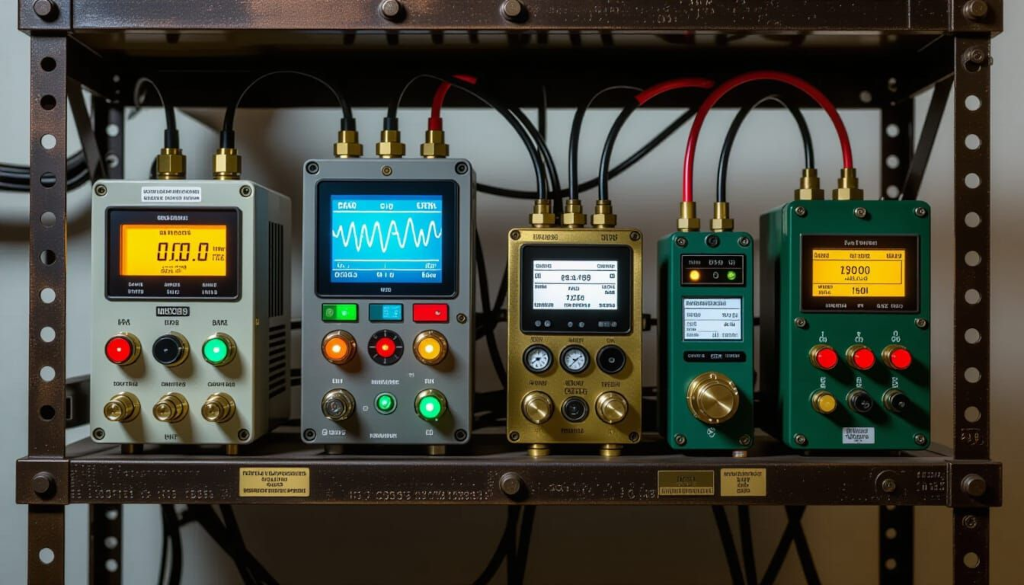
Intelligent Electronic Devices (IEDs) is a catch-all term for smart devices in power systems. They include:
Protective relays (detect faults, trip breakers)
Power quality meters
Substation automation controllers
Phasor measurement units (PMUs)
Digital fault recorders
These devices are computers running embedded software, with network connectivity, and they perform critical functions in power grid operation.
At UU P&L, the distribution system uses numerous IEDs:
Protective relays at each substation
Power quality meters monitoring power factor and harmonics
Automation controllers for substation control
PMUs for grid monitoring and stability analysis
Security characteristics of IEDs
IEDs typically:
Run embedded operating systems (often Linux, VxWorks, or proprietary RTOS)
Have web interfaces for configuration
Support protocols like DNP3, IEC 61850, Modbus
Have firmware that’s rarely updated
Use default or weak credentials
Have minimal logging
Testing IEDs requires more caution than most OT devices. Protective relays are responsible for detecting faults and isolating damaged equipment. Breaking a relay during testing could leave equipment unprotected.
Protective relay attacks and the subtlety of threshold manipulation
At UU P&L, testing the relay IEDs revealed two fundamentally different approaches to inducing a protection event. The direct approach: write coil 0 to force a trip immediately. Immediate. Noisy. The relay’s trip log records the event with a cause code marking it as a remote command rather than a protection response.
The less obvious approach: write a new overcurrent threshold value into a holding register, lowering it towards zero. The relay continues to monitor the feeder normally. At the next current reading that exceeds the new threshold, which may be any reading at all if the threshold is set near zero, the relay trips the breaker. As designed. On apparently legitimate grounds.
The protection event looks like a genuine fault. The relay did exactly what it was built to do. What is harder to reconstruct afterwards is who told it the threshold had changed, and when.
The forgotten Windows XP box in the corner
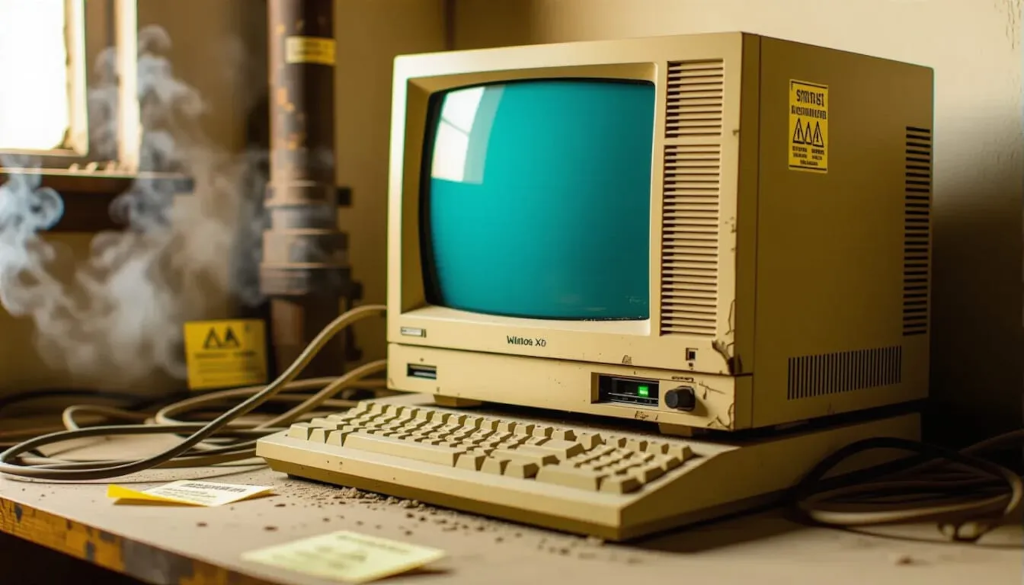
In almost every OT environment, there’s a computer sitting in a corner, covered in dust, with yellowing plastic and a CRT monitor (or at least a very old LCD). Nobody’s quite sure what it does. Nobody dares turn it off. It’s been running continuously since it was installed in 2004.
This computer is often:
Running Windows XP or older
Never patched
Connected to the network (because it needs to be, apparently)
Running critical software that nobody has installation media for anymore
Accessible with no password or an obvious password
Not documented in any asset inventory
At UU P&L, the forgotten box is hex-legacy-1, a Windows XP-era workstation in the enterprise zone. It is alive out
of inertia and a deferred upgrade budget: the sort of machine nobody can quite justify keeping and nobody dares turn
off.
It cannot be upgraded without breaking whatever it still quietly runs, and it cannot be retired because no one is certain what depends on it.
So it sits on the enterprise network, a monument to technical debt, unpatched and under-audited, a soft landing for an attacker who has reached that far and a plausible pivot deeper into the estate.
Testing forgotten systems
These systems are goldmines for pentesters:
Ancient operating systems with countless vulnerabilities
No security updates possible
Often connected to critical systems
Rarely monitored
Administrators often don’t remember they exist
The recommendations for these systems usually are:
Isolate them on separate network segments
Implement strict firewall rules (only required connections)
Monitor all access
Consider virtualising them if possible
Document them properly (so they’re not forgotten again)
Plan for eventual replacement (though this rarely happens)
At UU P&L, the recommendation was to isolate hex-legacy-1 on its own segment, restrict it to only the connections it
genuinely needs, and monitor access to it, while planning its eventual retirement. The university implemented the
firewall rules (relatively easy) and added it to the asset inventory (free). The monitoring was “under consideration”
(meaning probably never).
Lab components
Turbine PLC and its OPC-UA sidecar
Substation RTU (IEC-104, plus a REST datapoint API)
Control HMI (FUXA)
SCADA server and process historian
Engineering workstation (the dual-homed bridge)
Protective relay IEDs and Modbus actuators
DMZ gateways and brokers (umatiGateway, Neuron, MQTT, NTP, DNS, syslog)
A legacy workstation, forgotten and unpatched
Device |
Protocols in the lab |
|---|---|
Turbine PLC |
Modbus / DNP3 / IEC-104 / SNMP, OPC-UA sidecar |
Substation RTU |
IEC-104, plus a no-auth REST API |
HMI |
FUXA web UI, Modbus to the field |
SCADA |
Scada-LTS web, Modbus over stunnel |
Historian |
SQLite-backed REST API |
Engineering WS |
Bridges operational and control; holds creds |
Relay IED |
Modbus, with writable trip thresholds |
Actuator |
Modbus holding registers / coils |
DMZ gateways |
OPC-UA, MQTT, IEC-104, NTP, DNS, syslog |